A strong brand identity relies heavily on visual consistency. While logos, typography, and color palettes are essential components, photography often serves as the most immediate connection between a brand and its audience. Stock photography provides businesses with accessible visual resources, but without a clear style guide, even high-quality images can create confusion rather than cohesion. Developing a stock photo style guide ensures every image aligns with the brand’s personality, message, and long-term marketing goals.
Why a Stock Photo Style Guide Matters
Brands communicate visually before audiences read a single word. Consistent imagery strengthens recognition, builds credibility, and helps customers quickly understand what a brand represents. Without guidelines, teams may select images based on personal preference rather than brand alignment, resulting in inconsistent marketing materials.
A stock photo style guide establishes clear rules for image selection and usage. It becomes a reference for designers, marketers, and content creators, ensuring everyone follows the same visual direction. Whether sourcing images from premium libraries or using a Getty Images Promo Code to access professional collections, consistency remains the key factor in building a recognizable brand.
Define Your Brand Personality Through Images
The first step in creating a stock photo style guide is defining the brand personality. Every brand conveys emotion through visuals, and photography should reflect that identity.
Consider whether the brand feels modern, professional, friendly, innovative, or luxurious. A corporate consulting company may favor clean office environments and confident professionals, while a lifestyle brand might prioritize natural settings and candid moments.
Document the emotional tone your imagery should convey. Words such as “authentic,” “energetic,” “minimalist,” or “warm” help guide image selection and prevent mismatched visuals across campaigns.
Establish Visual Elements and Photography Standards
A strong stock photo style guide includes specific visual rules. These standards help maintain consistency even when different team members select images.
Key elements to define include lighting style, color tones, and composition. For example, brands may choose bright natural lighting over dramatic shadows or prefer neutral backgrounds instead of busy environments. Consistent framing, camera angles, and subject positioning also contribute to visual harmony.
Another important factor is diversity and representation. Imagery should reflect the brand’s audience authentically and inclusively. This strengthens emotional connection and reinforces brand values.
Using premium libraries through a Getty Images Promo Code can help brands access curated collections that meet professional quality standards while staying aligned with visual guidelines.
Create Image Do’s and Don’ts
Including clear do’s and don’ts simplifies decision-making for creative teams. Examples of recommended practices might include selecting candid expressions, natural poses, and realistic settings. On the other hand, brands may avoid overly staged corporate imagery, excessive filters, or outdated visual trends.
Providing visual examples within the style guide is highly effective. Showing approved image styles alongside rejected ones helps teams quickly understand expectations and reduces inconsistency.
Customize Stock Photos to Strengthen Branding
Even the best stock photos benefit from customization. Applying consistent editing styles, color grading, or graphic overlays ensures images feel uniquely connected to the brand.
Simple adjustments such as uniform cropping, brand-colored accents, or consistent typography placement transform stock photos into cohesive branded assets. Over time, audiences begin recognizing the brand through visual patterns rather than individual campaigns.
Maintaining and Updating the Style Guide
A stock photo style guide should evolve as the brand grows. Regular reviews allow teams to adapt to new marketing channels, audience preferences, and design trends while maintaining core identity elements.
Encourage collaboration between marketing, design, and leadership teams when updating guidelines. This ensures visuals remain relevant without losing brand consistency.
Conclusion
A well-developed stock photo style guide is an essential tool for building a strong brand identity. By defining visual standards, aligning imagery with brand personality, and leveraging high-quality resources—such as collections accessed with a Getty Images Promo Code—businesses can create cohesive, professional visuals across all platforms. Consistent photography not only enhances brand recognition but also strengthens audience trust and long-term marketing success.
Get ready to unlock a world of creativity with AI-generated images – and the best part? You can do it for free! Imagine bringing your wildest ideas to life without spending a dime or mastering complex design software. It’s not just possible; it’s easier than ever before.
From stunning social media graphics to eye-catching marketing materials, AI image generators are revolutionizing the way we create visual content. Whether you’re a designer, marketer, or just someone with a creative spark, these tools are about to become your new best friend. You’ll be amazed at how quickly you can turn your concepts into high-quality, unique visuals that capture attention and inspire imagination.
Key Takeaways
AI image generators offer free, accessible tools for creating unique visuals without design skills
Popular free platforms include DALL-E 3 in ChatGPT, Microsoft Designer’s Image Creator, and Craiyon
Craft specific, detailed prompts and experiment with art styles for best results
Consider legal and ethical implications, including copyright and proper disclosure of AI-generated content
Free tools may have limitations in image quality, resolution, and usage rights
AI-generated images have diverse applications for content creators, businesses, and artists
Understanding AI Image Generation
AI image generation is revolutionizing the way we create visual content. This innovative technology allows you to bring your ideas to life with just a few simple prompts.
How AI Creates Images
AI image generators use advanced machine learning algorithms to create unique visuals. These systems are trained on billions of images from across the internet, allowing them to understand and replicate various artistic styles, compositions, and subjects. When you input a text description, the AI analyzes your prompt and generates an image that matches your specifications. The process involves complex calculations and pattern recognition, resulting in high-quality, original artwork in seconds.
Benefits of AI-Generated Images
AI-generated images offer numerous advantages for creative professionals and hobbyists alike:
Speed: Create stunning visuals in seconds, saving hours of design time.
Accessibility: No need for advanced design skills or expensive software.
Uniqueness: Generate one-of-a-kind images tailored to your specific needs.
Versatility: Produce images in various styles, from photorealistic to abstract art.
Inspiration: Use AI-generated images as a starting point for your own creative projects.
Customization: Refine and adjust your prompts to get exactly the image you envision.
By harnessing the power of AI image generation, you’ll unlock a world of creative possibilities and streamline your visual content creation process.
Top Free AI Image Generators
Discover the exciting world of AI-generated images without spending a dime! Here’s where to create AI images for free, featuring powerful platforms that’ll bring your creative visions to life.
Text-to-Image Platforms
Text-to-image AI generators are revolutionizing the way we create visuals. These platforms allow you to type a simple text description and watch as AI technology transforms your words into stunning images in seconds. Here are some top free options:
DALL-E 3 in ChatGPT: Access this upgraded version of the original AI image generator for free through ChatGPT. It combines accuracy, speed, and cost-effectiveness to produce high-quality images based on your prompts.
Microsoft Designer’s Image Creator: Get free access to DALL-E 3 through Microsoft’s Copilot. This reliable and quick image generator lets you meet all your image-creating needs while chatting with the bot.
Craiyon: Perfect for those wanting to experiment with AI art generation for entertainment. It’s free, unlimited, and easy to use, making it ideal for casual users.
Imagen 3 in ImageFX: This free image generator creates some of the highest quality images available, making it an excellent choice for those seeking professional-grade results.
Image-to-Image Tools
Image-to-image AI tools take existing images and transform them in exciting ways. These platforms offer a range of creative possibilities:
Fotor’s AI Image-to-Image Creator: Enhance and stylize your images with incredible details. Turn sketches into colored masterpieces, convert selfies to anime avatars, or add elements like sunsets to existing photos.
Freepik’s AI Background Changer: Easily swap out backgrounds in your images, giving them a fresh new look or context.
AI Art Generator: Transform your photos into various artistic styles, from oil paintings to watercolors and beyond.
AI Image Upscaler: Improve the resolution and quality of your existing images without losing detail.
These free AI image generators offer a world of creative possibilities, allowing you to produce unique, high-quality visuals for personal or professional use without any cost. Whether you’re starting from scratch with text prompts or enhancing existing images, these tools empower you to bring your creative visions to life.
Tips for Creating High-Quality AI Images
Creating stunning AI-generated images is an exciting process that combines creativity with technology. Here are some tips to help you make the most of your AI image creation experience.
Crafting Effective Prompts
Crafting effective prompts is crucial for generating high-quality AI images. Use descriptive language to paint a vivid picture in your prompt. Include specific details about the subject, setting, lighting, and mood you want to convey. Experiment with different word combinations and be as precise as possible. For example, instead of “a cat,” try “a fluffy orange tabby cat sitting on a windowsill at sunset.” Remember, the more specific your prompt, the better the AI can understand and generate your desired image.
Choosing the Right Art Style
Selecting the appropriate art style enhances your AI-generated images significantly. Many AI image generators offer various artistic styles to choose from, such as realistic, cartoon, anime, or abstract. Consider the purpose of your image and select a style that aligns with your vision. For instance, if you’re creating marketing materials, a sleek, modern style might be more suitable than a whimsical, hand-drawn look. Don’t hesitate to experiment with different styles to find the perfect match for your project.
Refining and Customizing Results
Once you’ve generated an initial image, take advantage of the AI’s refinement options to perfect your creation. Many platforms allow you to make adjustments to specific elements of the image, such as color schemes, composition, or lighting. Use these tools to fine-tune your image and achieve the exact look you’re after. Some AI image generators also offer advanced editing features, allowing you to blend multiple generated images or incorporate your own elements. By refining and customizing your results, you can create truly unique and personalized AI-generated images that stand out.
Legal and Ethical Considerations
When creating AI-generated images for free, it’s crucial to understand the legal and ethical implications. Here’s what you need to know to navigate this exciting new landscape responsibly.
Copyright and Ownership
AI-generated images raise complex questions about copyright and ownership. While you’re using free tools to create these images, the ownership rights can vary:
Most platforms grant you the right to use the images you create
Some may retain partial ownership or require attribution
Carefully review the terms of service for each platform you use
Remember, AI models are trained on existing images, which can lead to potential copyright issues
To protect yourself:
Use AI-generated images for personal projects or as inspiration
For commercial use, verify the platform’s licensing terms
Consider seeking legal advice for high-stakes projects
Proper Disclosure of AI-Generated Content
Transparency is key when using AI-generated images. Here’s how to disclose your use of AI responsibly:
Always mention that the image is AI-generated when sharing or publishing
Include information about the specific AI tool used, if possible
Be clear about any post-processing or human edits made to the image
Use appropriate hashtags like #AIArt or #AIGenerated on social media
By being upfront about AI-generated content, you:
Build trust with your audience
Avoid potential misunderstandings or accusations of deception
Contribute to the ethical use of AI in creative fields
Remember, while you’re excited to explore where to create AI images for free, maintaining ethical standards ensures a positive experience for everyone involved in this innovative space.
Limitations of Free AI Image Tools
While free AI image generators offer exciting possibilities, they come with certain constraints. Understanding these limitations helps you make the most of these tools and decide when to explore paid alternatives.
Image Resolution and Quality
Free AI image tools often produce images with lower resolution and quality compared to their paid counterparts. You’ll typically encounter:
Limited output sizes, usually capped at 512×512 or 1024×1024 pixels
Reduced detail and sharpness in generated images
Occasional artifacts or inconsistencies in complex scenes
Fewer options for upscaling or enhancing image quality
Usage Restrictions
When using free AI image generators, you’ll face various usage limitations:
Daily or monthly generation limits
Restricted commercial use of generated images
Watermarks or attribution requirements on some platforms
Limited ability to save or download high-resolution versions
Fewer customization options for refining generated images
These restrictions may impact your ability to create large volumes of images or use them for certain projects, especially in professional settings.
Applications of AI-Generated Images
AI-generated images offer exciting possibilities across various fields. From enhancing content creation to revolutionizing business marketing, these tools are transforming visual communication.
For Content Creators
AI-generated images empower content creators to produce eye-catching visuals quickly. You can create unique illustrations for blog posts, social media content, and YouTube thumbnails without design skills. Free AI image generators like DALL-E 3 in ChatGPT and Microsoft Designer’s Image Creator allow you to bring your ideas to life instantly, saving time and resources.
For Businesses
Businesses leverage AI-generated images to enhance their marketing efforts and brand identity. You can create custom product mockups, social media ads, and branded content without hiring expensive graphic designers. Free tools like Craiyon and Imagen 3 in ImageFX enable you to generate professional-looking visuals for presentations, websites, and promotional materials, giving your brand a competitive edge.
For Artists and Designers
AI image generators serve as powerful tools for artists and designers to spark creativity and streamline their workflow. You can use these tools to generate initial concepts, explore new styles, or create base images for further editing. Free platforms like Fotor’s AI Image-to-Image Creator and Freepik’s AI Background Changer offer innovative ways to transform and enhance your existing artwork, pushing the boundaries of your creative process.
Conclusion
AI-generated images are revolutionizing the creative landscape! You now have the power to bring your wildest ideas to life without breaking the bank. With an array of free tools at your fingertips you can craft stunning visuals for personal projects marketing campaigns or artistic expression.
Embrace this exciting technology and let your imagination soar! Remember to use descriptive prompts explore different styles and always consider the ethical implications. The world of AI-generated imagery is yours to explore so dive in and unleash your creativity today!
In today’s digital landscape, a content creator’s image is more than just a profile picture or bio. It’s a powerful tool that shapes perceptions, builds trust, and influences audience engagement. We’ve seen firsthand how a well-crafted personal brand can make or break a creator’s success in the competitive world of online content.
As we delve into the nuances of content creator image, we’ll explore the key elements that contribute to a strong personal brand. From visual consistency to authentic storytelling, we’ll uncover the strategies that help creators stand out in a crowded digital space. We’ll also examine how a creator’s image can evolve over time, adapting to changing audience preferences and industry trends.
Key Takeaways
A content creator’s image is crucial for building trust, credibility, and audience connection in the digital landscape.
Visual branding, consistent messaging, and authentic personality are key elements of a successful content creator image.
Develop your image by defining your niche, creating a unique visual style, and crafting an authentic online persona.
Maintain and evolve your image by adapting to platform changes while staying true to your core identity.
Avoid common pitfalls like inconsistent branding, overusing stock images, and neglecting image optimization to strengthen your content creator image.
What Is a Content Creator Image?
A content creator image is a visual representation that encapsulates a creator’s brand identity, style, and personality across digital platforms. It’s more than just a profile picture; it’s a cohesive visual strategy that communicates a creator’s unique value proposition to their audience.
Content creator images typically include:
Profile pictures: Consistent, high-quality headshots used across social media platforms
Banner images: Eye-catching graphics that showcase the creator’s niche or brand
Thumbnails: Custom-designed visuals for content previews
Watermarks: Branded elements added to photos or videos for recognition
These visual elements work together to create a memorable and professional image that resonates with the target audience. Content creators often use platforms like Adobe Stock to source high-quality visuals that align with their brand aesthetics.
When crafting a content creator image, it’s essential to:
Maintain visual consistency across all platforms
Reflect the creator’s niche and expertise
Incorporate brand colors and design elements
Ensure images are optimized for various devices and platforms
By carefully curating their visual identity, content creators can establish a strong, recognizable presence in the digital space, enhancing their credibility and attracting their ideal audience.
The Importance of a Strong Content Creator Image
A strong content creator image is crucial for success in the digital landscape. It’s the foundation upon which trust, credibility, and audience connection are built.
Building Trust and Credibility
A well-crafted content creator image establishes trust and credibility with your audience. Consistent visuals across platforms, including profile pictures and thumbnails, create a sense of professionalism. High-quality images sourced from reputable platforms like Adobe Stock or Depositphotos enhance the overall appearance of your content. This visual consistency reassures viewers that they’re engaging with a reliable and authentic creator.
Attracting Your Target Audience
Your content creator image plays a pivotal role in attracting and retaining your ideal audience. By aligning your visual elements with your niche and target demographic, you’ll naturally draw in viewers who resonate with your content. Utilize Google Images to research trending visual styles in your field, ensuring your image stays current and appealing. A strong, cohesive image that reflects your brand’s personality and values will help you stand out in a crowded digital space, making it easier for your target audience to find and connect with you.
Key Elements of a Successful Content Creator Image
A successful content creator image comprises several essential components that work together to establish a strong, recognizable brand. We’ll explore three key elements that form the foundation of an effective content creator image.
Visual Branding
Visual branding is crucial for content creators to establish a cohesive and memorable presence across platforms. It includes consistent use of colors, fonts, and design elements that reflect the creator’s style and niche. For example, a travel content creator might use vibrant, adventurous colors and incorporate imagery from exotic locations. To achieve this, creators can utilize resources like Adobe Stock or Depositphotos Free Trial to access high-quality images that align with their brand aesthetic.
Consistent Messaging
Maintaining consistent messaging reinforces a content creator’s brand identity and helps build trust with their audience. This involves using a uniform tone of voice, recurring themes, and specific language that resonates with the target demographic. For instance, a tech reviewer might consistently use technical jargon and maintain an informative yet approachable tone across all content. Creators should ensure their messaging aligns with their visual branding to create a seamless content creator image.
Authentic Personality
Authenticity is key to connecting with audiences and standing out in the crowded digital space. Content creators should let their unique personality shine through their content, whether it’s through humor, expertise, or a particular perspective on their niche. This authenticity should be reflected in their visual content as well. When sourcing images from platforms like Google Images or creating custom graphics, creators should choose visuals that genuinely represent their personality and values, reinforcing their authentic content creator image.
How to Develop Your Content Creator Image
Developing a strong content creator image requires a strategic approach that encompasses various elements of your brand identity. We’ll explore key steps to help you establish a compelling and authentic presence in the digital space.
Defining Your Niche and Values
Identifying your niche and core values is crucial for developing a distinctive content creator image. Start by analyzing your passions, expertise, and target audience to pinpoint your unique selling proposition. Consider the following:
Conduct market research to identify gaps in your chosen field
List your top 3-5 core values that align with your content goals
Define your target audience demographics and preferences
Create a mission statement that encapsulates your purpose as a creator
By clearly defining these aspects, you’ll lay a solid foundation for your content creator image that resonates with your audience and sets you apart from competitors.
Creating a Unique Visual Style
Your visual style is a key component of your content creator image. It’s essential to develop a cohesive look that reflects your brand personality and appeals to your target audience. Here’s how to create a unique visual style:
Choose a color palette that aligns with your niche and brand values
Select fonts that complement your content style and are easily readable
Design a logo or wordmark that represents your brand
Create consistent templates for thumbnails, banners, and social media posts
To enhance your visual content, consider using high-quality stock images from reputable sources like Adobe Stock or exploring free options through Depositphotos Free Trial. These platforms offer a wide range of professional images that can elevate your content creator image.
Crafting Your Online Persona
Your online persona is the personality you present to your audience across various platforms. It’s crucial to develop a consistent and authentic voice that aligns with your content creator image. Consider these tips:
Identify key personality traits you want to showcase in your content
Develop a consistent tone of voice for your written and verbal communication
Create a personal backstory that resonates with your audience and niche
Engage with your audience regularly to build a genuine connection
Remember, your online persona should be an authentic representation of yourself while aligning with your content creator image. This authenticity will help you build trust and foster a loyal following.
Maintaining and Evolving Your Content Creator Image
A content creator’s image isn’t static; it requires ongoing maintenance and evolution to stay relevant and effective. We’ll explore strategies for adapting to platform changes while maintaining your core identity.
Adapting to Platform Changes
Content platforms frequently update their algorithms, features, and best practices. To stay ahead:
Monitor platform updates regularly
Adjust content formats to align with new trends (e.g., short-form videos, stories)
Optimize your content creator image for emerging features
Experiment with new tools and functionalities
Analyze performance metrics to gauge the impact of changes
Creators who adapt quickly often gain a competitive edge, reaching wider audiences and maintaining engagement.
Staying True to Your Core Identity
While adapting to changes, it’s crucial to maintain your authenticity:
Revisit your mission statement and core values regularly
Ensure new content aligns with your brand’s essence
Gradually introduce changes to avoid alienating your existing audience
Seek feedback from your community on potential updates
Use consistent visual elements across platforms to reinforce your identity
By balancing adaptability with consistency, you’ll evolve your content creator image while preserving the unique qualities that resonate with your audience.
Common Pitfalls to Avoid in Content Creator Image Building
When developing a content creator image, it’s crucial to navigate potential obstacles that can hinder success. Here are some common pitfalls to avoid:
Inconsistent Visual Branding
Inconsistency across platforms confuses audiences and weakens brand recognition. Maintain a cohesive visual identity by:
Using the same profile picture across all social media accounts
Applying consistent color schemes and fonts in graphics and thumbnails
Ensuring logos and watermarks are uniformly placed in content
Overusing Stock Images
While stock images can be useful, overreliance diminishes authenticity. Balance stock photos with original content:
Use Adobe Stock or Depositphotos Free Trial for high-quality stock images when necessary
Create custom graphics that align with your brand identity
Incorporate personal photos or behind-the-scenes content to showcase authenticity
Neglecting Image Optimization
Poorly optimized images can lead to slow loading times and reduced engagement. Optimize your visuals by:
Compressing images without sacrificing quality
Using appropriate file formats (JPEG for photographs, PNG for graphics with transparency)
Resizing images to fit platform specifications
Ignoring Copyright Laws
Using copyrighted images without permission can result in legal issues. Protect your brand by:
Obtaining proper licenses for stock photos from reputable sources like Adobe Stock
Using Google Images’ tools to filter for copyright-free content
Creating original graphics or taking your own photographs
Failing to Adapt to Platform Changes
Social media platforms frequently update their image requirements. Stay current by:
Regularly checking platform guidelines for image sizes and formats
Updating profile pictures, cover photos, and post templates as needed
Testing content appearance across different devices
By avoiding these pitfalls, content creators can build a stronger, more cohesive image that resonates with their audience and enhances their brand presence across digital platforms.
Measuring the Impact of Your Content Creator Image
To gauge the effectiveness of your content creator image, we’ll explore key metrics and methods for evaluation. By analyzing these factors, you’ll gain insights into how your visual brand resonates with your audience and impacts your overall content strategy.
Engagement Metrics
Engagement metrics provide valuable insights into how your content creator image influences audience interaction:
Like-to-view ratio
Comment frequency
Share count
Click-through rates
Average watch time (for video content)
Monitor these metrics across platforms to identify trends and patterns related to your visual branding.
Audience Growth
Track your follower growth rate to assess the appeal of your content creator image:
New followers per week/month
Follower retention rate
Demographic shifts in your audience
A consistent increase in followers suggests your image effectively attracts and retains your target audience.
Brand Recognition
Measure brand recognition through:
Branded hashtag usage
Mentions and tags
User-generated content featuring your branding
These indicators demonstrate how well your audience recognizes and engages with your visual identity.
Conversion Rates
Analyze how your content creator image impacts conversions:
Email sign-up rates
Product sales (if applicable)
Affiliate link clicks
Sponsored content performance
Higher conversion rates often correlate with a strong, trustworthy content creator image.
Audience Surveys
Conduct periodic surveys to gather direct feedback on your visual branding:
Brand perception questions
Visual element recognition tests
Preferences for different aspects of your image
Use tools like Google Forms or SurveyMonkey to create and distribute these surveys to your audience.
Platform-Specific Analytics
Leverage built-in analytics tools on various platforms:
Instagram Insights
YouTube Analytics
TikTok Analytics
Facebook Page Insights
These tools offer detailed data on how your content performs, including insights on your visual elements’ impact.
Image Performance Analysis
Evaluate the performance of individual images:
Engagement rates for posts with different visual styles
A/B testing of thumbnails or profile pictures
Performance comparison of stock images vs. original content
For stock images, consider using platforms like Adobe Stock or exploring a Depositphotos free trial to test different visual styles.
By consistently measuring these aspects of your content creator image, you’ll gain a comprehensive understanding of its impact on your brand’s success and audience perception.
Conclusion
A strong content creator image is pivotal in today’s digital landscape. We’ve explored its importance in building trust fostering connections and standing out in a crowded space. By focusing on visual branding consistent messaging and authentic personality content creators can craft a compelling image that resonates with their audience.
Remember that your image isn’t static. It should evolve with your brand and audience while staying true to your core values. By avoiding common pitfalls and regularly measuring your impact you’ll be well-equipped to maintain a powerful and effective content creator image that drives success across all platforms.
Google Images has revolutionized the way we search for and discover visual content online. It’s a powerful tool that offers a wealth of benefits to users across various fields and industries.
From enhancing your research to sparking creativity, Google Images provides a vast library of visual resources at your fingertips. Whether you’re a student, professional, or casual user, this innovative platform can significantly streamline your workflow and enrich your digital experience. In this article, we’ll explore the numerous advantages of using Google Images and how it can elevate your online searches to new heights.
Key Takeaways
Google Images provides access to billions of visual resources, enhancing research and creativity across various fields
Advanced search options and filters help users find specific images quickly, improving efficiency in content creation
Reverse image search feature allows users to identify sources, find similar images, and verify authenticity
Proper image optimization can significantly boost SEO efforts, improving website visibility and driving organic traffic
Understanding and adhering to copyright laws and usage rights is crucial when using images found through Google Images
What Is Google Images?
Google Images is a powerful visual search engine and image database developed by Google. Launched in 2001 this feature allows you to search for and browse through billions of images from across the web. When you use Google Images you can find photos illustrations graphics and other visual content related to any topic you’re interested in.
As part of the broader Google search ecosystem Google Images offers a user-friendly interface that allows you to:
Enter text queries to find relevant images
Filter results by size color type usage rights and more
View image metadata and source information
Save and organize images for later use
Google Images uses advanced algorithms and machine learning techniques to index and categorize visual content from websites across the internet. This enables you to quickly find the most relevant and high-quality images for your needs whether you’re a student researcher designer or casual user.
Unlike specialized stock photo services like Getty Images Google Images provides access to a vast array of visual content from various sources without requiring a subscription or promo code. However it’s important to note that not all images found through Google Images are free to use and you should always check the usage rights before incorporating them into your projects.
By leveraging Google’s powerful search capabilities Google Images has become an indispensable tool for visual research inspiration and discovery making it an essential resource in today’s digital landscape.
Key Benefits of Using Google Images
Google Images offers numerous advantages for users seeking visual content online. Here are the key benefits you can enjoy when using this powerful image search engine:
Vast Image Library
Google Images provides access to an enormous collection of visual content from across the web. You can find millions of images on virtually any topic imaginable. This extensive library allows you to:
Discover diverse visual representations of your search queries
Access a wide range of image styles, from photographs to illustrations and graphics
Find both contemporary and historical images to suit your needs
The sheer volume of available images makes Google Images an invaluable resource for research, creative projects, and general information gathering.
Reverse Image Search
One of Google Images’ most powerful features is its reverse image search capability. This innovative tool allows you to:
Upload an image or provide an image URL to find similar images online
Identify the source of an image you’ve come across
Discover higher resolution versions of a particular image
Find different variations or edited versions of an image
Reverse image search is particularly useful for verifying image authenticity, tracking down original sources, and exploring visual content related to a specific image.
Advanced Search Options
Google Images offers a range of advanced search options to help you refine your results and find exactly what you’re looking for. These options include:
Filtering images by size, color, type, usage rights, and more
Searching for images from specific time periods or regions
Finding images related to particular websites or domains
Excluding certain types of images from your search results
These advanced search options allow you to customize your image search experience and efficiently locate the visual content that best meets your needs.
How Google Images Enhances SEO
Google Images plays a crucial role in enhancing your website’s search engine optimization (SEO) efforts. By leveraging this powerful visual search engine you can significantly improve your online visibility and drive more organic traffic to your site.
Improving Image Visibility
When you optimize your images for Google Images you increase the chances of them appearing in image search results. This additional exposure can lead to more clicks and visits to your website. To maximize visibility:
Use descriptive file names for your images
Include relevant alt text that accurately describes the image content
Optimize image sizes for faster loading times
Boosting Overall Search Rankings
Google’s algorithms consider image relevance and quality when determining overall search rankings. By incorporating high-quality optimized images into your content you can:
Enhance user experience on your site
Increase dwell time as visitors engage with visual content
Improve your site’s overall relevance for specific topics
Driving Traffic Through Image Search
Google Images can serve as a significant source of traffic for your website. Many users start their online journey with image searches. By optimizing your images you can:
Attract users who are specifically looking for visual content
Capture the attention of potential customers in the early stages of their research
Increase the likelihood of conversions as users find exactly what they’re seeking
Enhancing Local SEO
For businesses with a local focus Google Images can be particularly beneficial. By including location-specific images and optimizing them properly you can:
Improve visibility in local search results
Attract more local customers through visually appealing content
Strengthen your local SEO strategy by providing relevant visual information
By harnessing the power of Google Images you can create a more robust and effective SEO strategy that goes beyond traditional text-based optimization techniques.
Optimizing Your Images for Google
To maximize the benefits of Google Images for your website, it’s crucial to optimize your visual content. Proper optimization enhances your images’ visibility in search results and improves your overall SEO performance.
Using Descriptive Filenames and Alt Text
When uploading images to your website, use descriptive filenames that accurately represent the content. Replace generic names like “IMG_1234.jpg” with specific, keyword-rich alternatives such as “red-sports-car-2023.jpg”. This helps Google understand your image’s subject matter.
Additionally, always include alt text for your images. Alt text provides a concise description of the image for users who can’t see it and helps search engines understand the content. Write clear, relevant alt text that incorporates your target keywords naturally.
Implementing Image Sitemaps
Create and submit an image sitemap to Google to ensure all your images are discoverable. An image sitemap provides additional information about the images on your site, including their location, subject matter, and licensing information. This helps Google index your images more effectively, potentially increasing their visibility in Google Images search results.
To implement an image sitemap:
Create an XML file listing all your images
Include relevant details like image URL, caption, and title
Submit the sitemap through Google Search Console
Optimizing for Speed and Quality
Image optimization goes beyond just descriptions and metadata. You also need to consider file size and quality to ensure fast loading times and a positive user experience. Here are some tips:
Compress images without significant quality loss
Use appropriate file formats (JPEG for photographs, PNG for graphics with transparency)
Implement responsive images to serve different sizes based on device screen size
Leverage browser caching to improve load times for returning visitors
By following these optimization techniques, you’ll improve your chances of appearing in Google Images search results and enhance your overall SEO strategy.
Legal Considerations
When using Google Images for your content, it’s crucial to understand and adhere to legal guidelines. Proper usage ensures you avoid copyright infringement and potential legal issues.
Understanding Copyright Laws
Copyright laws protect original works, including images, from unauthorized use. When using Google Images, you must be aware that most images are subject to copyright protection. This means you can’t simply use any image you find without permission. Google provides tools to filter search results by usage rights, but it’s your responsibility to verify the licensing terms. Always check the source website for specific usage permissions and attribution requirements.
Finding Royalty-Free Images
Google Images can be a valuable resource for finding royalty-free images that you can use legally. To locate these images:
Use the “Tools” feature in Google Images
Select “Usage Rights” and choose “Creative Commons licenses” or “Commercial & other licenses”
Review the licensing terms on the source website
Remember, even with royalty-free images, you may need to provide attribution or adhere to specific usage guidelines. Some websites, like Getty Images, offer high-quality stock photos but often require a paid license or promo code for commercial use. Always double-check the licensing terms before using any image in your content to ensure compliance with copyright laws and avoid potential legal issues.
Best Practices for Using Google Images
When utilizing Google Images for your content needs, it’s essential to follow these best practices to ensure ethical and effective use:
Use Advanced Search Filters
Take advantage of Google Images’ advanced search filters to narrow down your results. You can filter images by size, color, type, time, and usage rights. This helps you find the most relevant and appropriate images for your needs quickly.
Verify Image Sources
Always trace images back to their original source. Don’t assume that the first website you find an image on is the actual owner. Click through to the source website and verify the image’s origin and any associated licensing terms.
Respect Usage Rights
Even when using Google’s usage rights filter, double-check the licensing terms on the source website. Some images may require attribution, while others may have restrictions on commercial use. Always comply with the specified usage rights to avoid legal issues.
Use High-Quality Images
Select high-resolution images that will display well on various devices. Poor quality images can negatively impact your content’s professionalism and user experience.
Optimize Images for SEO
When saving and using images from Google Images, rename them with descriptive, keyword-rich file names. Also, add appropriate alt text to improve accessibility and SEO performance.
Consider Alternative Sources
While Google Images is a powerful tool, consider using dedicated stock photo websites for commercial projects. Some offer free options, while others, like Getty Images, provide high-quality, professionally curated images. Look for Getty Images promo codes to access premium content at discounted rates.
Be Mindful of Cultural Sensitivity
When selecting images, be aware of cultural implications and avoid stereotypes. Choose diverse and inclusive imagery that accurately represents your audience and subject matter.
Keep Records
Maintain a record of where you sourced each image, its usage rights, and any required attributions. This practice can protect you in case of any copyright disputes.
By following these best practices, you can make the most of Google Images while ensuring legal compliance and maintaining the integrity of your content.
Conclusion
Google Images offers a powerful tool for enhancing your visual content needs. By leveraging its vast library advanced search features and following best practices you’ll unlock a world of possibilities for your projects. Remember to always respect copyright laws verify sources and optimize your image selections. With these guidelines in mind you can confidently use Google Images to elevate your work while maintaining ethical standards. Whether you’re a content creator researcher or casual user Google Images provides an invaluable resource that when used responsibly can significantly enhance your digital experience.
Is Adobe Stock free? For the first month, it is. The stock photo website currently offers a promo that allows the 10 image plan ($29.99/month) subscriber to receive a one-month refund. After the end of your offer term, you will be billed with standard subscriptions rates. If you wish to change or cancel your subscription, do so one month before your active image plan expires. To enjoy the promo, one needs to be a subscribing customer of the 12-month subscription.
The offer expires on December 30, 2025. You need to hurry and get your Adobe Stock free trial today. You will get 10 free images within the next month of your subscription and receive a one-month refund when you sign up for the annual 10 image per month plan. The offer is cancel risk free on the first month, giving you the opportunity to try the stock site for free.
The Adobe Stock promo is subject to availability where the willing subscriber resides. It is available to creative professionals above 18 years old and current residents of countries not subject to local and US export restrictions. \It may not be assigned, transferred, combined, exchanged, sold or redeemed for cash or other goods.
Why should you get the offer?
Adobe Stock is one of the best stock photo websites in the market. It has over 50 million high quality, royalty-free images, illustrations, graphics and videos in its library. Curated by Adobe, it is directly integrated with Adobe Creative Cloud desktop applications so you can purchase, access and manage your images more easily and quickly. All you have to do is find the perfect photo to create the most amazing project.
The $29.99 per month subscription plan is suitable for creative professionals with consistent image needs. It is an annual plan that allows you to download 10 images per month, and purchase additional images for only $2.99 each. You can also rollover up to 120 images to the next month. With the current Adobe Stock free trial, your first month will be refunded. Get this limited time offer now to try one of the best stock sites for free.
Conclusion
Is Adobe Stock free? The answer is absolutely yes. Get this very rare opportunity to access a world-class collection without commitment. Get your 10 images for free and create the most amazing creative projects with them. If you are using a Creative Cloud application, this is the best time for you to get your subscription. Click the link above and start your free month now!









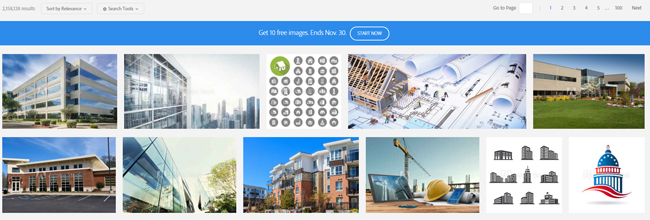
 Adobe Stock is one of the best stock photo websites in the market. It has over 50 million high quality, royalty-free images, illustrations, graphics and videos in its library. Curated by Adobe, it is directly integrated with Adobe Creative Cloud desktop applications so you can purchase, access and manage your images more easily and quickly. All you have to do is find the perfect photo to create the most amazing project.
 Is Adobe Stock free? The answer is absolutely yes. Get this very rare opportunity to access a world-class collection without commitment. Get your 10 images for free and create the most amazing creative projects with them. If you are using a Creative Cloud application, this is the best time for you to get your subscription. Click the link above and start your free month now!